What’s new in limelit: PowerPoint, camera strip, drawing, and Windows
· 1:54
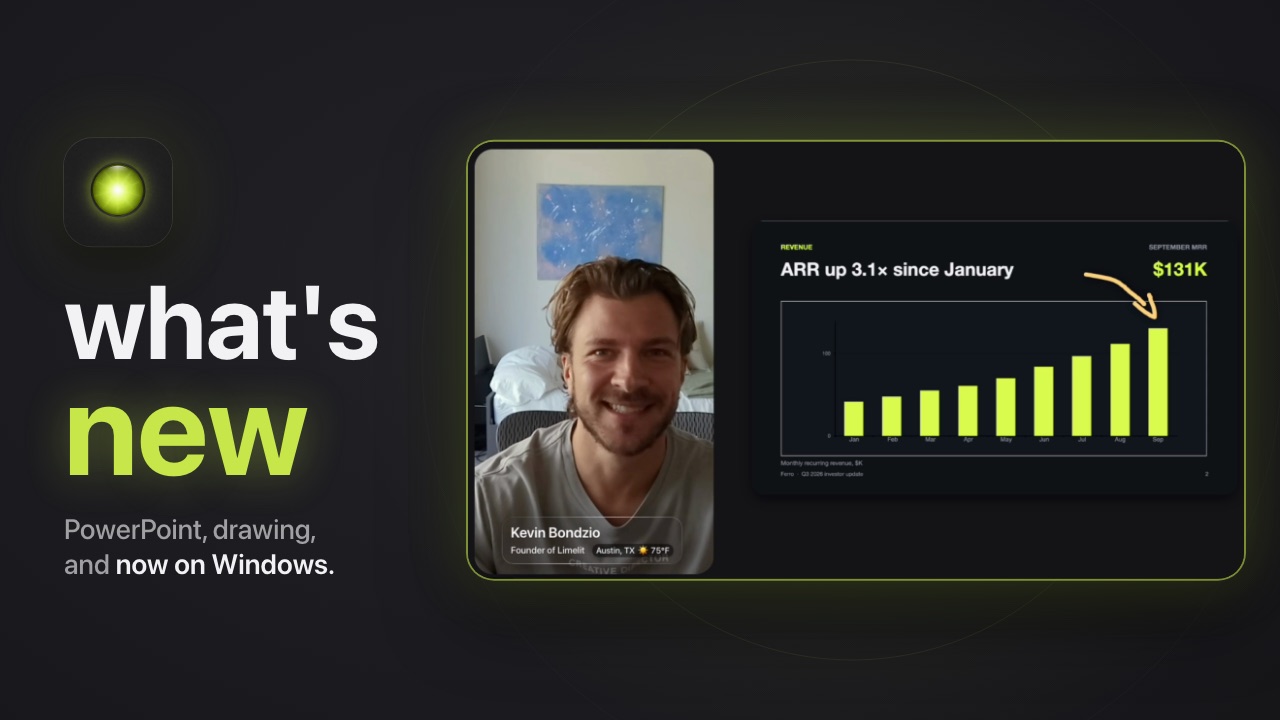
Two weeks after the first demo: drop in a PowerPoint and limelit reads the numbers behind every chart, move your camera aside for the content, draw on your own camera, and limelit on Windows.
In this video
0:00Drawing on my camera in a call
A revenue chart on camera in a Zoom call, and an arrow drawn on it, live.
0:16PowerPoint, native
Drop in a .pptx. limelit reads the numbers behind every chart, so you can ask for exactly the cut you want, live.
0:55Camera strip
When the content matters more than your face, move to the side and give it the room. They still see you, and you’re not screen sharing.
1:14Drawing mode
Point at what you’re talking about. Pen, arrows and boxes, right on your camera, gone with one click.
1:32Now on Windows
Same app, now on Windows. We’re looking for people to test it, break it and send feedback.
Transcript
0:00Alright Frank, so here’s revenue since January. I want you to pay attention to this September number over here. And if you’re asking yourself, how did I just draw on my camera? I showed you limelit like two weeks ago. Here’s what we shipped since.
0:16So last time, if I wanted to show a PowerPoint deck, I had to convert it to PDF and put it into limelit. Now we not only support native PowerPoint, PPTX, it’s also able to read the data and convert it. So you can see I have the slides in plain over here, but if I say “show influencers and paid social only, Q2 and Q3, in a clean chart”, it will extract those original data from the PowerPoint file and create a clean cue. And there we have it. Data extracted, super slick and clean chart.
0:55If your content really matters and you want to show the full slide, you can just move your camera to the left side and have more space for your content. Just like that, one click, still not screen sharing, but showing the full slide.
1:14Just like a whiteboard, you can go into drawing mode and make remarks, create shapes, arrows, to make your points. And with one click you can undo or even delete everything. Just like a whiteboard.
1:32One more thing. We started our app with macOS only. We just released our Windows client as well. And as you can imagine, we’re looking for people to test it, break it, report issues, and give feedback. I’m gonna add the link for the waitlist in the comments. Thank you.